orlixaq
LAUREII Sparkone Thermal Imaging Camera,256x192 IR Resolution, Thermal Camera featuring WiFi, -4°F to 1022°F
LAUREII Sparkone Thermal Imaging Camera,256x192 IR Resolution, Thermal Camera featuring WiFi, -4°F to 1022°F
SKU:WzVczlR8Jm
458 disponibile/i
Impossibile caricare la disponibilità di ritiro
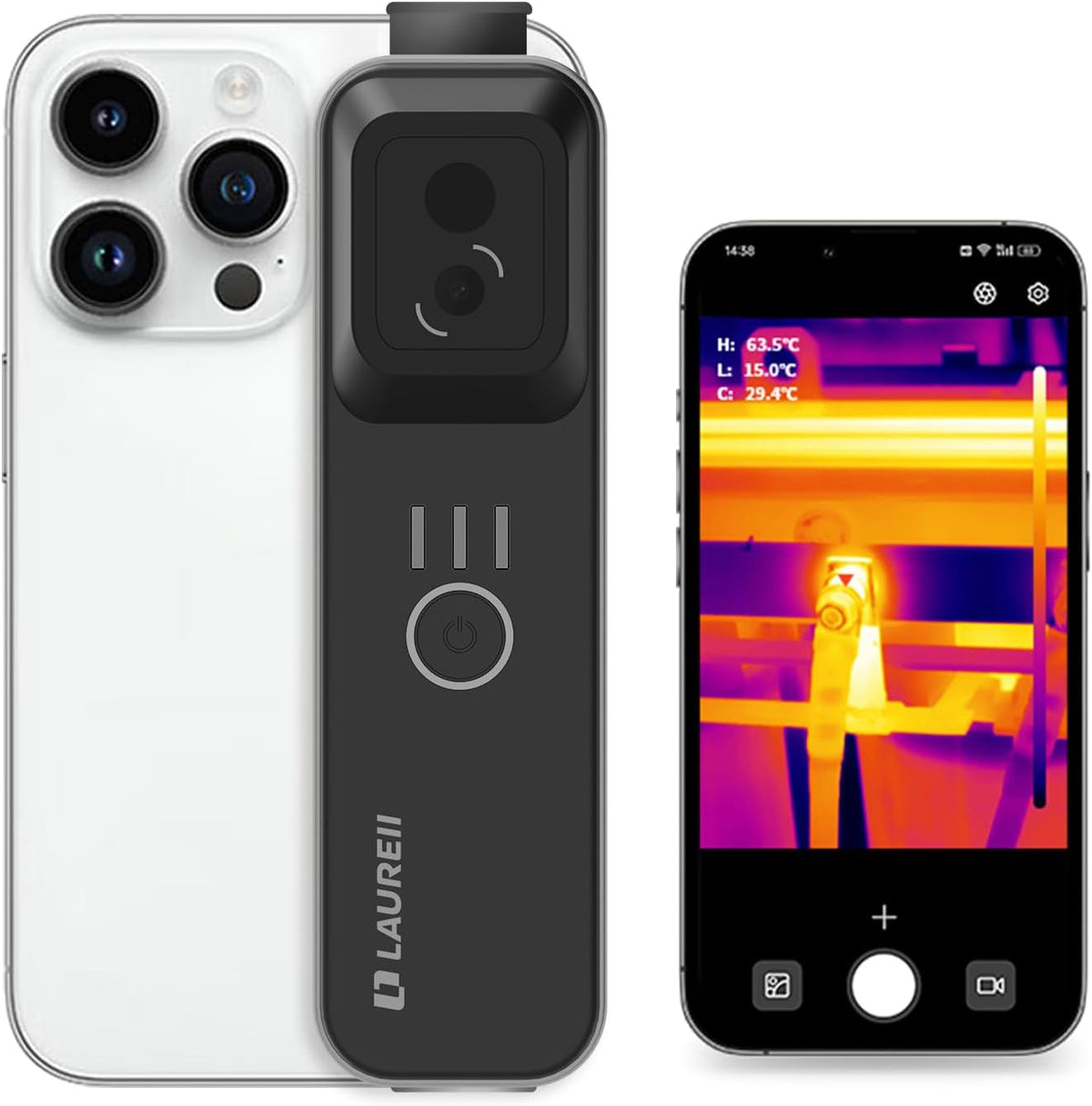
SPARK ONE is a new type of detachable thermal camera for mobile phones that is compact, rugged, and durable. It includes a rear clip that can be attached to or detached from a mobile phone, supporting one-handed operation. Featuring proprietary dual-spectrum fusion technology and a high-precision temperature measurement algorithm, this thermal camera captures high-resolution imagery and provides accurate temperature readings. It supports one-click Wi-Fi connection to mobile devices for effortless operation. Mobile App Tutorial. 1. Search for LAUREll on GooglePlay/Apple Store and download it. 2. Turn on your device, connect toWi-Fi - find laureii xxxxx and enterthe password 123456789 to connect. 3. Once connected, turn on yourdevice to complete the process. 1Convenient tools24 Image Analysis Modes3Multiple usage methods4Multiple scenarios Visible light resolution 2MP Infrared resolution 256*192 Wavelength range 8um~14um FOV 56°*42° Protection Leve IP54 Capture Mode jpg、mp4 Communication Interface WiFi、Type-C Measurement Range -20℃~550℃ Use distance 30m Use temperature -20℃~60℃ Battery Life 3h Weight 176g Display Mode Thermal Imaging/ Fusion /Picture-in-Picture Power Supply Mode 1000mAh, Type-C charging (5V/1A) Measurement Accuracy ±3℃or±3% (Professional laboratory-level temperature measurement data reference) OTA Support OTA upgrade. 1. Q: How does the Wi-Fi connection work? A: A phone can only connect to one Wi-Fi network at a time. When connected to the thermal imager's built-in Wi-Fi, your phone cannot use other Wi-Fi networks or mobile data, so internet access will be unavailable during use. 2. Q: Can the thermal camera see through objects? A: No. It detects surface temperatures only and cannot see through solid materials such as glass or metal. 3. Q: Why does the mobile app require access to the gallery and storage? A: The app needs gallery access to store photos and storage access to save report files. 4. Q: What should I do if I can't connect the thermal camera to the mobile app? A: Turn Wi-Fi off and on, reconnect, and restart the app. Follow the user guide and in-app prompts to complete the connection process. 5. Q: Why does the thermal camera make a clicking sound? A: The device performs periodic calibration as internal temperature shifts. A small motor triggers this calibration, producing a clicking noise known as 'shutter movement.'. 6. Q: Does it support an SD card? What is the storage capacity? A: No. SD cards are not supported. All thermal images and videos are stored directly on the connected phone or tablet, depending on available device storage. 7. Q: Can multiple devices connect to the same thermal camera simultaneously? A: No. The wireless connection supports only one device at a time. 8. Q: Can the thermal imaging camera be used with a computer? A: No. The device connects via Wi-Fi and supports only smartphones and tablets, not computers. 9. Q: What is the Field of View (FOV)? A: The FOV is 56° × 42°, providing a wide detection area for more efficient inspection. 10. Q: Does it support temperature unit switching? A: Yes. It supports Celsius (°C), Fahrenheit (°F), and Kelvin (K), and units can be adjusted based on user preference.